
Tomorrow's plan, in one place
Who's on which job is the question every construction morning starts with. CrewAware answers it on a schedule board the office plans and the field can rely on.
Crews and projects, laid out by period
The schedule board shows assignments the way you actually plan them — crew by crew, project by project, period by period — so moving work around is a decision you can see, not a chain of texts.
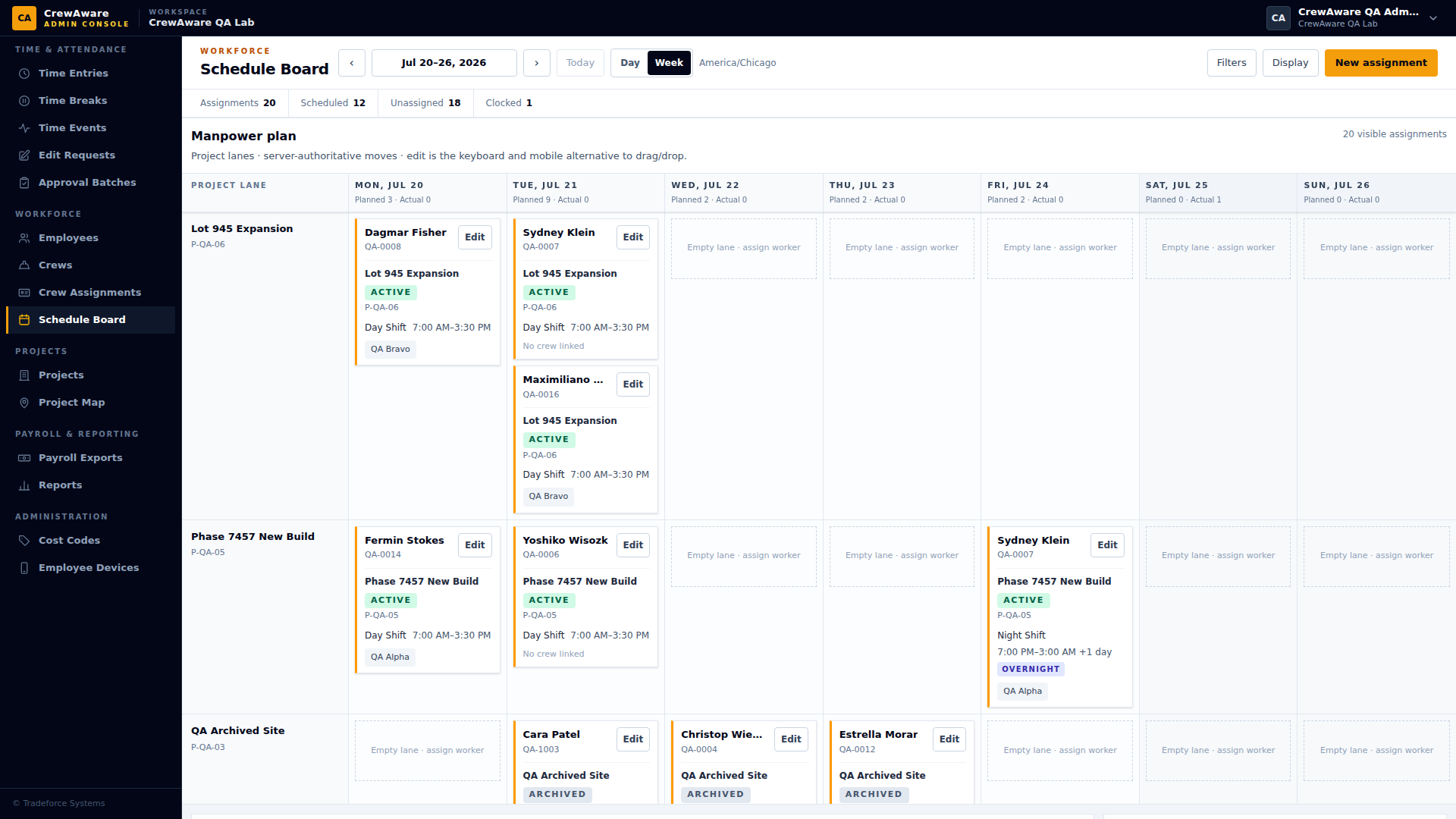
The schedule and the timeclock agree
Because scheduling and time tracking share one system, the plan and the reality can actually be compared: the crew scheduled to Harborview clocks into Harborview, and when they don’t, the record shows it. Availability and approved time off sit on the same board, so the plan starts from who can actually work.
CrewAware keeps scheduling deliberately concrete: assignments, availability, visibility. No dispatch automation or forecasting engine to configure — a board your office will actually keep current.
14-day free trial · No card required
Scheduling questions
What does the schedule board actually hold?
Assignments of an employee to a project on a date, with a named shift that carries its own start and end times. A crew can be attached to an assignment, so you schedule the unit that actually travels to the site rather than repeating the same row per person.
How does CrewAware know who is available?
Availability is recorded per employee, per date, with a note where one helps, and it shows on the board while you are planning. Conflicts surface while the schedule is being made instead of at 6am on the day it fails.
Does approved time off show up in the schedule?
Yes. Leave and time-off records live in the same workspace as scheduling and time, so an approved absence is part of the picture you plan against rather than a separate list somebody has to remember.
Does the schedule decide what a worker gets paid?
No — and that separation is deliberate. The schedule is the plan; the time record is what happened. Payroll is prepared from reviewed and approved time entries, never from what was scheduled, so a shift that ran long or short pays as it actually ran.